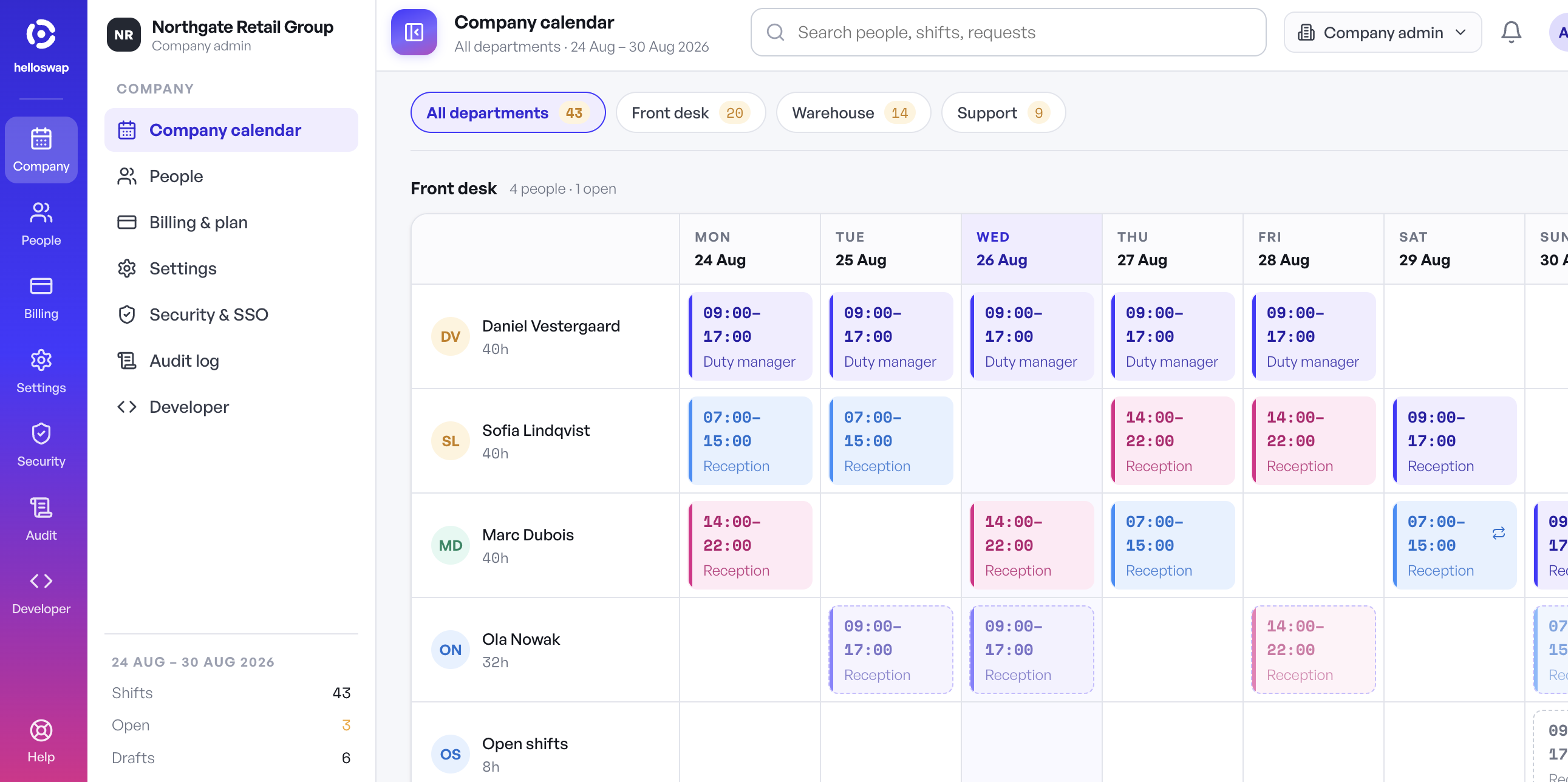
Once a business has more than one type of team — say, front-of-house and kitchen, or warehouse and delivery drivers — a single shared schedule stops working. The manager scrolling through 60 names to find the five bartenders they need to edit is losing time every single week. Department-based scheduling means splitting the roster into separate, self-contained groups, each with its own shifts, staff list, and often its own manager, while still sitting inside one system. It sounds like a small structural change, but it removes a lot of daily friction.
What Actually Goes Wrong With One Flat Schedule
A single combined schedule tends to break down in predictable ways as headcount and team variety grow:
- Managers waste time scrolling past staff who aren't relevant to the shift they're editing.
- Someone from the stockroom gets accidentally scheduled into a role they're not trained for, because nothing separates the lists.
- Two department leads both try to edit the same week and overwrite each other's changes.
- Reporting becomes useless — you can't easily see kitchen labor cost separate from front-of-house without manually filtering names every time.
- New hires get lost in a long list instead of being grouped with the people they actually work alongside.
None of these are catastrophic on their own, but they add up to a schedule that takes longer to build and is more error-prone every single week.
How Department Splits Actually Help
Structuring scheduling around departments fixes these issues because each department becomes its own manageable unit:
- Smaller, relevant staff lists. A kitchen manager only sees kitchen staff. A warehouse supervisor only sees warehouse staff. Less scrolling, fewer mistakes.
- Local ownership. Department leads can build and adjust their own schedules without needing full access to every other team's roster, which also limits who can accidentally change something they shouldn't.
- Cleaner reporting. Labor cost, hours worked, and open shifts can be pulled per department instead of requiring manual filtering after the fact.
- Faster onboarding. A new employee is added to one department and immediately sees only what's relevant to them, instead of a company-wide list they have to mentally filter.
- Realistic swaps. Shift swaps and open-shift offers can be scoped to the department, so a cashier doesn't accidentally see (or claim) a warehouse shift they're not trained or scheduled for.
When to Introduce Departments
Department-based scheduling isn't necessary for every small business — a five-person café with one shift pattern doesn't need it. It starts paying off once any of the following is true:
- You have two or more distinct teams with different shift patterns or skill requirements.
- More than one person is responsible for building or approving schedules.
- You're regularly cross-checking who's on shift where because the combined list is too long to scan quickly.
- Open shifts or swap requests are landing with the wrong people because there's no way to scope them.
If you're already there, the fix isn't a bigger spreadsheet — it's splitting the structure so each manager only deals with their own slice. In helloswap, multi-department support works this way by default: each department gets its own schedule, its own open-shift board, and its own approvals inbox, while owners can still see everything rolled up at the company level. The goal is the same either way — smaller, cleaner units that are actually easy to manage day to day.