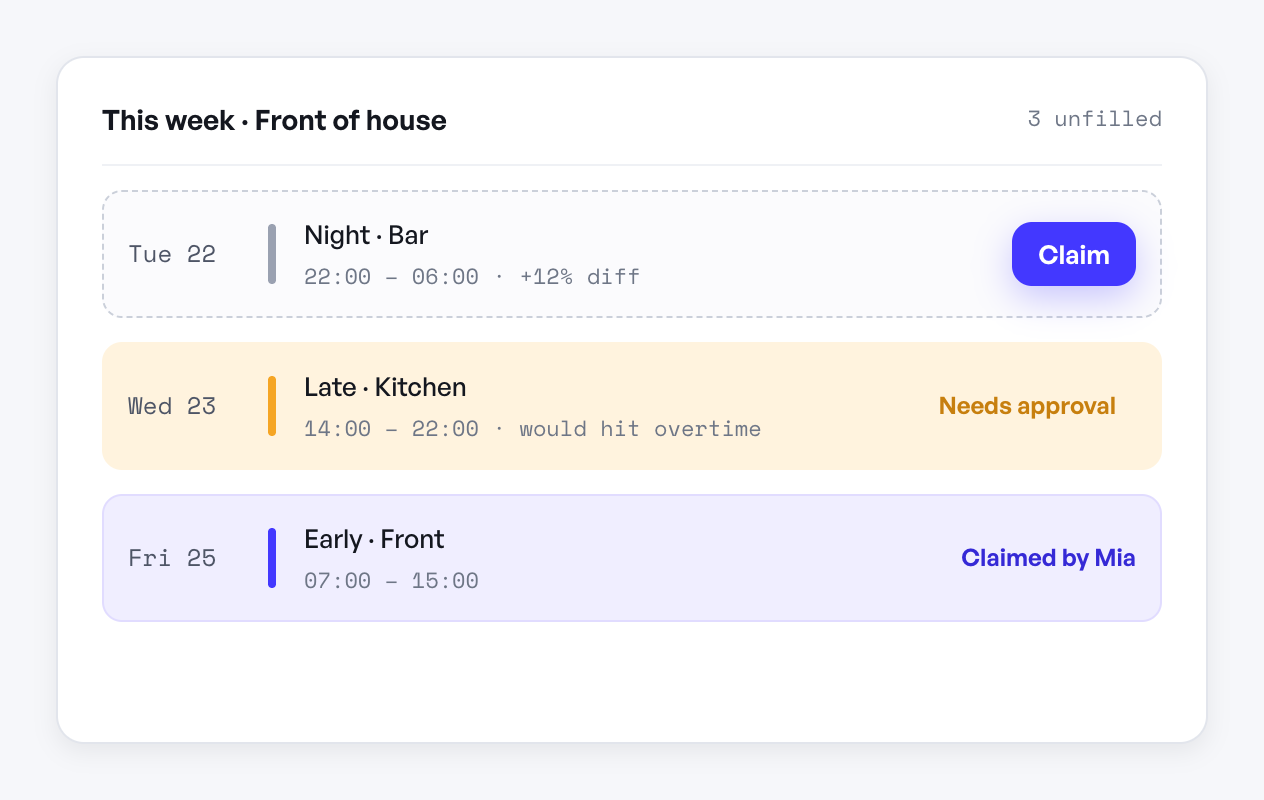
An open-shift board earns its keep when an unfilled Tuesday-night shift gets claimed by someone on their phone before you've even finished typing a group text about it. Most boards fail not because the idea is bad but because of small friction points: nobody knows it exists, claiming a shift takes too many steps, or a manager still has to manually check it every hour. A good open-shift board removes almost all of that friction and turns coverage gaps into something your team solves for you.
What Makes People Actually Use It
The board has to compete with group chats, sticky notes, and "just ask around." It only wins if it's easier than those. That means:
- It's visible where people already look. If checking the board requires logging into a separate system or hunting through a shared drive, it loses to a text message every time. It should live in the same place employees already check their schedule.
- Claiming a shift takes one action. Not "message the manager and wait." A tap or click that either books it instantly or sends a single approval request.
- It shows enough detail to decide fast. Role, time, department, and pay differential if there is one. Someone shouldn't have to ask three questions before they know if they can take it.
- It updates in real time. If two people can claim the same shift and one gets a surprise "sorry, already filled" text, they stop checking the board.
What a Manager Still Needs to Control
Self-service doesn't mean no oversight. The parts that still need a human decision are usually about qualification and fairness, not about logistics:
- Who's eligible to see the shift. A pharmacy tech shift shouldn't be visible to cashiers. Restricting the board by role or department keeps it relevant and avoids people claiming things they can't legally or practically cover.
- Overtime and hour caps. An open shift that pushes someone into overtime you didn't budget for is a problem you created, not solved. The system should flag or block claims that would cross that line rather than let you find out on payroll day.
- Approval for edge cases. Instant-claim works for routine coverage. For shifts near a shift-differential boundary, or ones covering a sensitive area, a quick manager approval step is worth the extra thirty seconds.
Where Open Shifts Come From in the First Place
A board that's stocked well gets used well. The most reliable sources of open shifts are predictable, so build habits around them instead of scrambling reactively:
- Approved time off that leaves a hole — post the resulting shift the moment the request is approved, not the night before.
- Call-outs, where speed matters more than anything else.
- Growth periods where you're short-staffed and need to spread extra hours across willing people before hiring catches up.
- Shifts nobody wants (early closes, holidays) that you post further in advance so people can plan around them.
In helloswap, open shifts post straight from a canceled or unassigned slot, employees claim them from their phone without installing anything, and anything that would trigger overtime or a role mismatch routes to your approvals inbox instead of going through automatically. The board is only as good as how little work it takes for someone to say yes to a shift — everything else is detail.